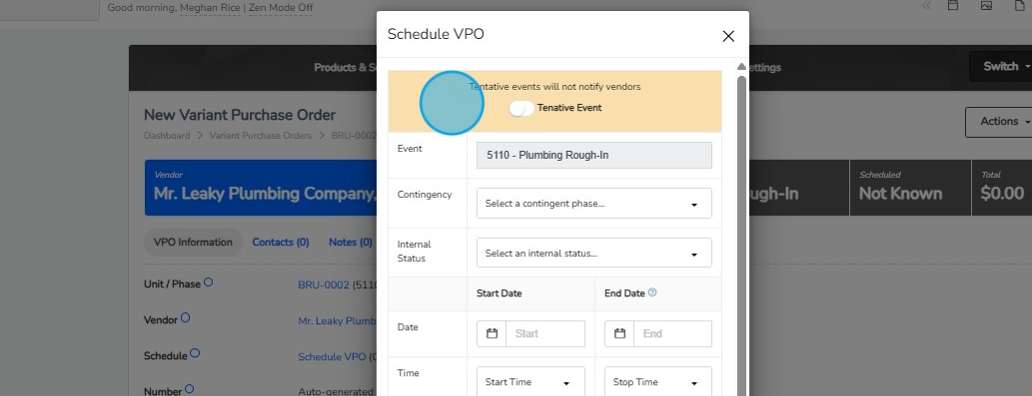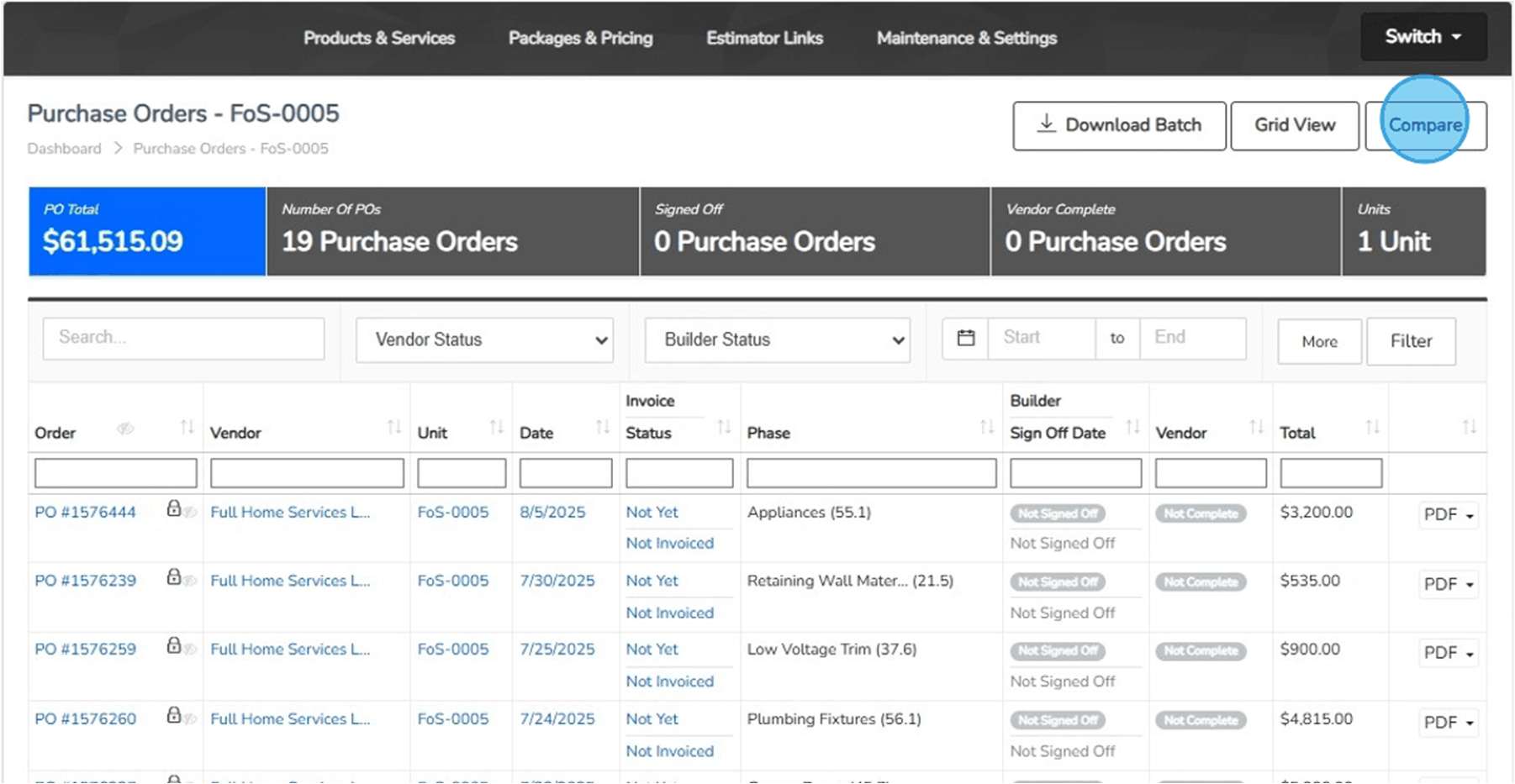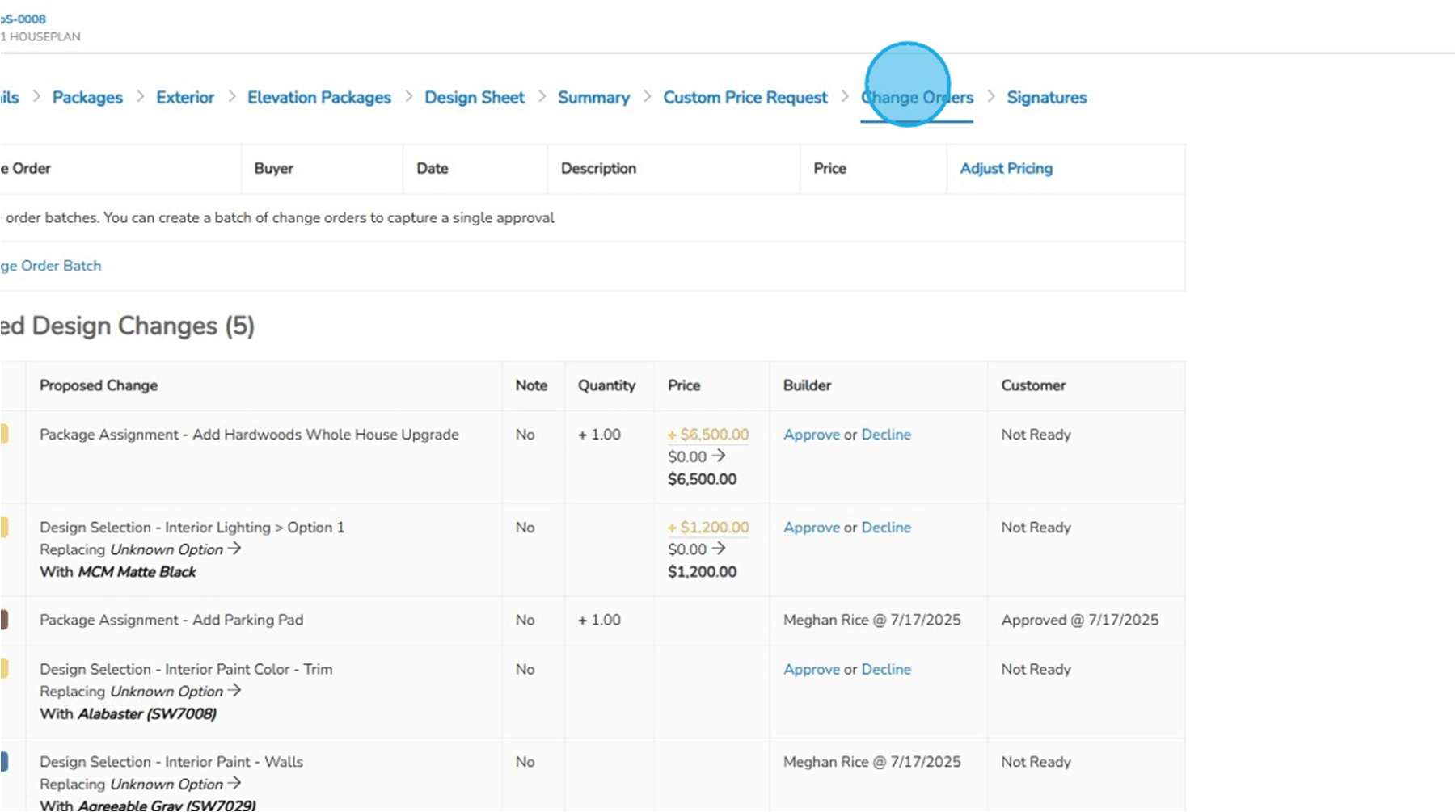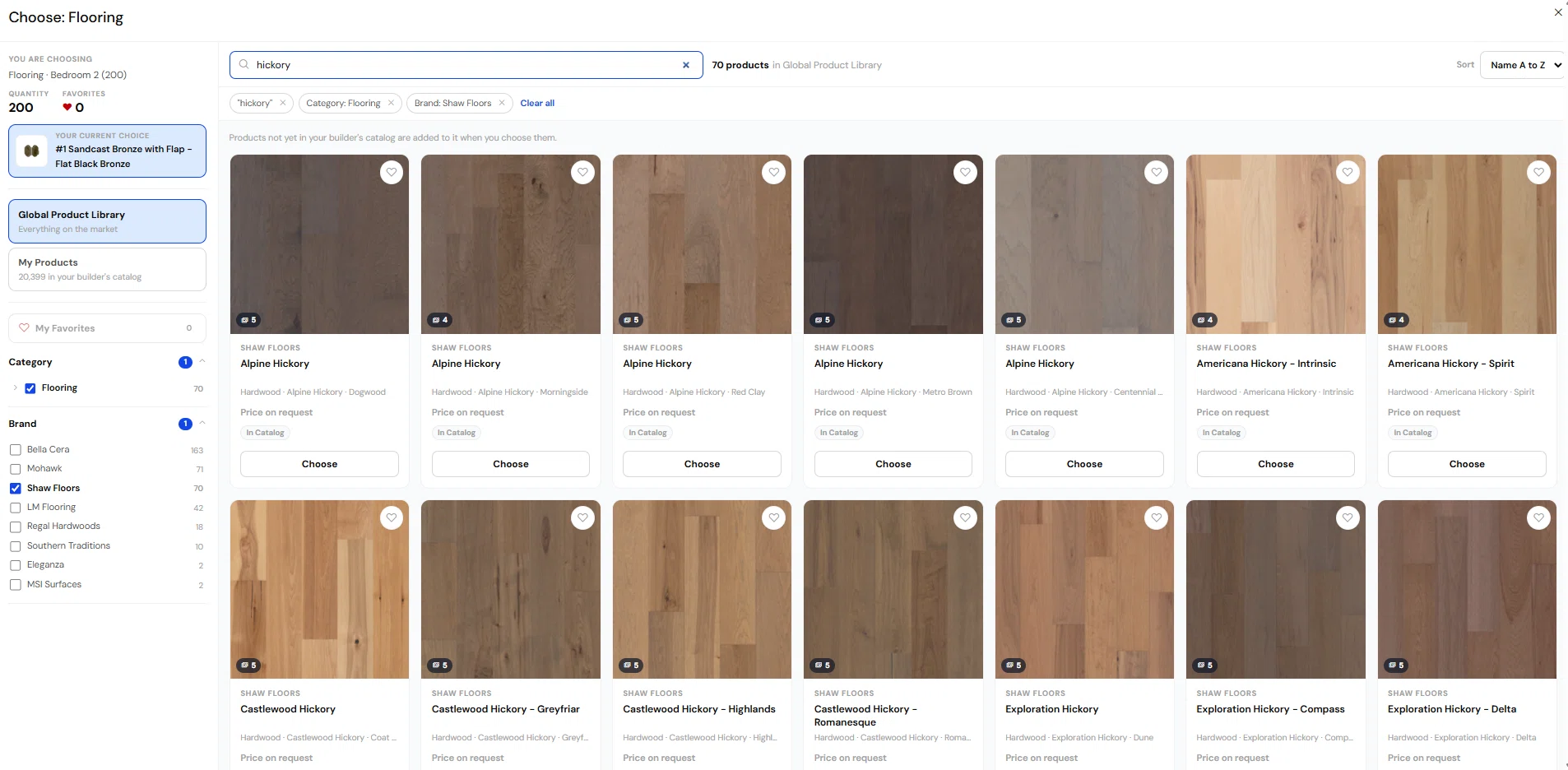

The next chapter of ThreadKore

We're Built for What's Next.

Markets change. We're building tools that bring your website, buyer relationships, and homeowner experience closer to your business—helping put your team in a better position to navigate what's next.

myKotiva

A buyer and homeowner experience for selections, home information, and the ongoing story of a home.

Explore myKotiva

WebLaunchAI

Website design, hosting, and content management connected to the ThreadKore record.

Explore WebLaunchAI
ThreadKore and Orbit AI connect sales and marketing, contracts, design and selections, estimating and purchasing, construction and scheduling, trades and vendors, accounting and finance, and customer care.

The Builder’s Operating System, from land to customer care.

ThreadKore connects land development, home construction, sales, purchasing and customer care with native accounting on one shared system of record. Orbit brings intelligence to the information your teams already work from.

Real builders. Connected businesses.

Explore every builder’s full story

Real Builder Stories

Brad McCall · Eric Sanford · Josh Pomerleau. Their individual stories and videos remain on Customer Stories.

This video includes captions within the picture that cannot be switched off. Optional English captions start off to avoid doubling them. The optional captions are auto-generated and awaiting human review; they may contain errors.

Hear from the builders doing the work

“Instead of spending time finding information, our team spends time making better decisions.”

Dylan Gerard · Chief Financial Officer, Manuel Builders

Customer experience—not a product demonstration or a promise of results.

Read customer stories

Follow one home through ThreadKore

Eight connected areas of work—not eight separate systems or a rigid sequence. Sales, field work, purchasing and accounting can run in parallel.

Sample home · Cedar Grove / Lot 18

Plan Willow · Buyer A · Illustrative records, not customer data

One shared system of record

Sales & Marketing

Manage leads, conversations and follow-up with the buyer and home in view.

Who hands off what?
Receives
Community, lot and plan information.
Shares with the next team
Buyer requirements and relationship history to contracts and design.

The decision: Decide the next conversation with the home’s context, not a separate contact list.

CRM capabilities in ThreadKore
Contracts

Keep agreed home scope, retail pricing and signatures with the home.

Who hands off what?
Receives
Buyer requirements, plan, lot and proposed pricing from sales.
Shares with the next team
Agreed scope and approved changes to design, purchasing and finance.

The decision: Review what the buyer agreed to before the team commits work.

theHOMESapp

Design & Selections

Organize choices, design sheets, pricing and approvals for each home.

Who hands off what?
Receives
Contract scope, plan and buyer preferences.
Shares with the next team
Approved selections and change details to purchasing and construction.

The decision: Resolve a choice and its price before ordering or building it.

Design Center in theHOMESapp

Estimating & Purchasing

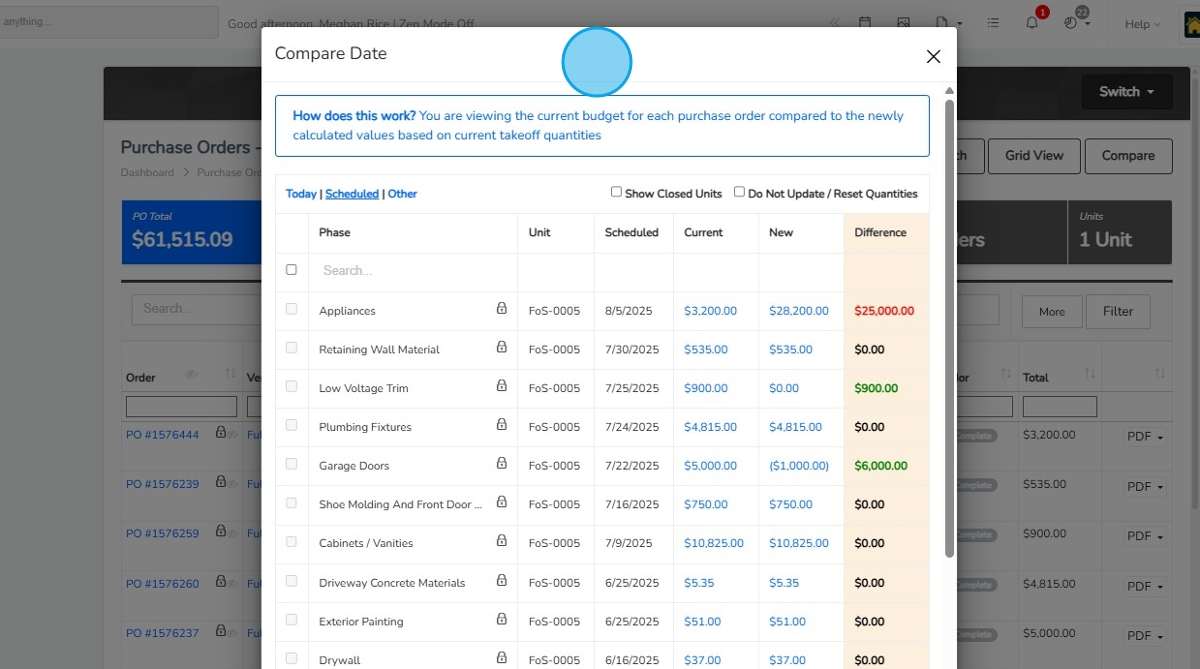
Connect estimates, takeoffs, vendor pricing, budgets, POs and VPOs.

Who hands off what?
Receives
Home scope, approved selections and vendor pricing.
Shares with the next team
Reviewed scope and commitments to trades, construction and accounting.

The decision: Compare the proposed commitment with budget before authorizing work.

Purchasing in theHOMESapp

Construction & Scheduling

Manage vertical schedules with purchasing and selection context.

Who hands off what?
Receives
Agreed scope, selections, commitments and trade coordination.
Shares with the next team
Schedule and home progress context to sales, finance and closing.

The decision: Coordinate the next activity with the field and office looking at the same home.

theHOMESapp

Trades & Vendors

Give vendors a place to review purchase orders, submit invoices and manage compliance documents.

Who hands off what?
Receives
Builder purchase orders and agreed work scope.
Shares with the next team
Invoice submissions and compliance documents to builder review.

The decision: Review the vendor’s submission against the commitment before approving an invoice.

JobCloser

Accounting & Finance

Run native accounting and review budgets, commitments, invoices, posted costs and payments distinctly.

Who hands off what?
Receives
Home budgets, purchasing commitments and invoices for review.
Shares with the next team
Financial statements, job costs and cash context to operations and leadership.

The decision: Trace a margin or balance to its records and decide what needs attention.

BuildingBlocks, AP Launch and ARLaunch

Customer Care

Keep closing and customer-care work connected to the home’s history.

Who hands off what?
Receives
Home scope, selections and construction history at the closing handoff.
Shares with the next team
Care context back to the team responsible for the home.

The decision: Review what was agreed and built when responding after closing.

Closing & customer care

Cross-team connections: sales ↔ contracts ↔ design; design ↔ purchasing ↔ construction; purchasing ↔ vendors ↔ accounting; construction ↔ closing & care. BuildingBlocks supports the financial record throughout.

A buyer change is a business decision

Illustrative example · Sample data only. These numbers explain the review, not a live transaction or an automatic posting rule.

Buyer A requests a flooring upgrade

  1. Request & review. Design documents the new choice; sales reviews the proposed $6,000 price change with the buyer.
  2. Approve scope & price. The team confirms the change and buyer approval before treating it as agreed scope.
  3. Review the commitment. Purchasing compares the existing flooring scope and PO with the proposed upgrade. The sample adds $4,000 to expected cost; the team reviews the appropriate PO or VPO update.
  4. Coordinate & account. Construction reviews the scheduling effect. Finance reviews expected margin; vendor invoice review, approval, accounting posting and payment remain distinct steps.

Expected home margin

Sample projection before and after review
ProjectionBeforeAfter
Home revenue$500,000$506,000
Expected total cost$400,000$404,000
Expected margin$100,000$102,000

$6,000 additional revenue − $4,000 additional expected cost = $2,000 additional expected margin.

Expected total cost includes the sample’s cost to build, hold and sell. A selection or PO commitment is not itself a posted expense or a payment.

Explore the buyer-change working example

Native tools. A connected business.

ThreadKore’s modules work within the platform. This is not a diagram of separate third-party apps held together by integrations.

See why the shared record matters

MyPM

Land development: raw-land opportunities, development planning and projections, bids and horizontal construction.

Completed developed lots become available in theHOMESapp.

theHOMESapp

The vertical-homebuilding operational center: contracts, selections, estimates, takeoffs, POs/VPOs and scheduling, plus cashflow and bank borrowing projections.

Sales agreements guide the work. Purchasing and construction carry it forward with finance connected.

JobCloser
Vendor participation: POs, invoice submissions and compliance.

Orbit
Intelligence across connected business records.

Orbie
Client assistance and custom report writing.

Ask what changed. Follow the records.

Available capability: Orbit analyzes connected operational and financial information. Orbie helps clients use ThreadKore and writes custom reports.

“What changed this home’s expected margin?”

Illustrative output · Same sample home, not a live AI query.

Inputs: agreed home revenue, approved change scope, expected costs and purchasing commitments. The sample review finds $6,000 additional revenue and $4,000 additional expected cost—a $2,000 increase in expected margin.

“Which records explain the variance?”

Compare the buyer change and the original versus revised flooring scope with the budget and PO/VPO context. Check invoice and posting records separately when reviewing actual costs.

The team makes the decision

Review the source records, resolve unexplained differences and approve any next step through the appropriate workflow. Analysis does not replace approval, post an expense or release a payment.

See illustrative Orbit example

The linked scripted demo uses its own sample home and sample data. It is not a live production session or a guarantee that every demonstrated action ships.

Explore the business-performance perspective

Find the work your team needs

Function first; product names underneath. These are current workflow areas. Expanded and future experiences are identified separately below.

Business areas, handoffs and examples
Business areaWhat your team can doWhat connectsSee it in action
Sales & MarketingCRM capabilities in ThreadKoreManage leads, conversations and follow-up with the buyer and home in view.Buyer requirements and relationship history to contracts and design.Working example
ContractstheHOMESappKeep agreed home scope, retail pricing and signatures with the home.Agreed scope and approved changes to design, purchasing and finance.Working example
Design & SelectionsDesign Center in theHOMESappOrganize choices, design sheets, pricing and approvals for each home.Approved selections and change details to purchasing and construction.Working example
Estimating & PurchasingPurchasing in theHOMESappConnect estimates, takeoffs, vendor pricing, budgets, POs and VPOs.Reviewed scope and commitments to trades, construction and accounting.Working example
Construction & SchedulingtheHOMESappManage vertical schedules with purchasing and selection context.Schedule and home progress context to sales, finance and closing.Illustrative demo
Trades & VendorsJobCloserGive vendors a place to review purchase orders, submit invoices and manage compliance documents.Invoice submissions and compliance documents to builder review.Explore workflow
Accounting & FinanceBuildingBlocks, AP Launch and ARLaunchRun native accounting and review budgets, commitments, invoices, posted costs and payments distinctly.Financial statements, job costs and cash context to operations and leadership.Working example
Customer CareClosing & customer careKeep closing and customer-care work connected to the home’s history.Care context back to the team responsible for the home.Explore workflow

Plan the move with your team

Agree setup, migration, training and ongoing support before you begin. Your proposal separates subscription, implementation, migration and training so responsibilities and scope are clear.

QuickBooks migration is a standard part of implementation: opening balances, active jobs, vendor balances and historical job costs are reconciled before go-live.

Choose tools and describe the questions you want answered below. This is a demo request, not a confirmed appointment.

Explore products and availability

Current workflows come first. WebLaunchAI website design and hosting is in beta. The expanded Cadence2Close CRM experience and myKotiva are planned for November 11, 2026; other future directions are identified in the catalog.

See the roadmap and availability notes

Available today, beta and planned

CRM capabilities are available today in ThreadKore; the expanded Cadence2Close CRM experience is planned for November 11, 2026.

Planned dates and feature scope may change. Beta is identified separately from general availability.

ThreadKore products and capability groups
Product or capabilityStatusScope or timing
BuildingBlocksAvailable todayNative accounting
AP LaunchAvailable todayInvoice review and accounts payable
ARLaunchAvailable todayBilling and receivables
MyPM (MyProjectManager)Available todayLarge land development: raw-land opportunity birddogging, development planning and projections, bids, and horizontal construction through completed developed lots available in theHOMESapp
theHOMESappAvailable todayVertical-homebuilding operational center: design selections, contracts, estimates, takeoffs, POs/VPOs, vertical scheduling, cashflow projections and bank borrowing projections, connected to native BuildingBlocks accounting and job costing
Purchasing & PO workflowsAvailable todayPurchasing and estimating
JobCloserAvailable todayTrade and vendor coordination
Orbit & OrbieAvailable todayOrbit business analysis; Orbie client assistance and custom reports
Closing & customer careAvailable todayCapability group
Design CenterAvailable todayCapability within theHOMESapp
WebLaunchAIBetaWebsite design and hosting · Available in beta
Cadence2ClosePlannedExpanded CRM experience · November 11, 2026
myKotivaPlannedNovember 11, 2026
KoreCapturePlannedQ4 2026
KoreToursPlannedQ4 2026
Orbit StudioPlannedComing soon · No date announced
APLaunch.AIPlannedUpcoming focus · No date announced
Pro forma modeling enhancementsPlannedEnhancements in prototype; existing pro forma functionality is available. Production scope and timing remain to be confirmed.
Search products by the work you need to do

Explore the four business pillars

Finance & Accounting

Know the numbers. Protect the margin.

Connect commitments and actual costs to the financial story.

Operations & Construction

Plan the work. Deliver the home.

Keep the home, the scope, and the people doing the work together.

ThreadKoreOne operating system.One System of Record.Orbit · Intelligence across it all

Sales & Marketing

Create demand. Close homes.

Carry relationships and buyer decisions into the work your team delivers.

Customer Experience

Guide the buyer. Build confidence.

Keep the buyer’s decisions and the home’s history in context.

Each tool has one primary home. Connections show how it supports the other teams using the same record.

Looking ahead? Explore Coming Soon or Future Roadmap.

Follow a selection, invoice, margin review, or sales lead

This could be your everyday

One moment.
A more connected day.

Pick a moment. Follow what happens next.
See how the work connects.

ONE HOME. ONE CONNECTED RECORD.

The buyer changes their mind.

One choice. Four teams. Keep the whole story.

A kitchen upgrade touches more than a design sheet. Follow the decision into purchasing, cost, and the financial conversation.

LOT 42

DecisionCommitmentContext

Illustrative workflow and sample data. This is a guided story, not a live product screen.

Explore theHOMESapp ↗

Every step adds context.
Orbit brings intelligence to the connected record.

See real intelligence in action ↗
Make the conversation yoursChoose your business and role
Your business · Select all that apply
Your role · Select all that apply
Plan my walkthrough →

BUILD YOUR THREADKORE

Start with what you need.
Build from there.

Choose your priorities and the tools you want to explore. We’ll tailor a demonstration to your business and show how ThreadKore can support your next stage.

Review my demo plan 0
Four Kores. One connected business.

Choose your priorities to focus the catalog. Orbit brings intelligence across all four.

Available capabilities

Available Today

Start with the workflows your team can use today.

Operations & Construction

Land development & horizontal constructionMyPMProduct · Available todayFrom land opportunity to lots ready to build.

Operations & Construction

MyPM

Available today

From land opportunity to lots ready to build.

What it does

MyPM connects the work of finding and developing land. Manage raw land opportunities, development projects and projections, bids, and horizontal construction in one place. When developed lots are complete, they become available in theHOMESapp for vertical construction.

Who uses it

Land-development leaders, project managers and horizontal-construction teams

Capabilities to explore

  • Raw land opportunities and birddogging
  • Large land-development projects
  • Development planning and projections
  • Bids
  • Horizontal construction
  • Completed developed lots available in theHOMESapp
Land development

MyPM connects the work of finding and developing land. Manage raw land opportunities, development projects and projections, bids, and horizontal construction in one place. When developed lots are complete, they become available in theHOMESapp for vertical construction.

Horizontal construction and the lot handoff

Manage horizontal construction in MyPM. Completed developed lots become available in theHOMESapp for vertical construction and scheduling.

Explore vertical construction in theHOMESapp

Follow the work

  1. Find the land opportunity

    Birddog raw land opportunities; manage development planning and projections.

  2. Develop the land

    Manage bids and horizontal construction.

  3. Make completed lots available

    Completed developed lots become available in theHOMESapp for vertical construction.

Explore experience

Vertical construction

Vertical construction managementtheHOMESappProduct · Available todayEvery home. Every commitment. One connected workflow.

Vertical construction

theHOMESapp

Available today

Every home. Every commitment. One connected workflow.

What it does

Manage vertical construction from design selections and contracts through estimates, takeoffs, purchasing, and scheduling. theHOMESapp brings the work, commitments, cash flow projections, and bank borrowing projections together in one place, connected to ThreadKore’s native accounting.

Who uses it

Construction and operations, estimating, purchasing, sales and design teams

Capabilities to explore

  • Design selections and contracts
  • Estimates and takeoffs
  • Purchase orders and variance purchase orders (VPOs)
  • Vertical construction scheduling
  • Cash flow projections
  • Bank borrowing projections
  • Connection to BuildingBlocks native accounting and job costing
Plans, pricing & selections

Make the promise clear before the work begins.

Use Guided Start, plan selection, design sheets, and retail pricing to organize what the buyer is choosing and what your team is preparing to build.

  • Plan and package selection
  • Design categories and groups
  • Retail pricing and price history
  • Contract document signature batches

Follow the work

  1. Define the promise

    Organize the plan, design choices, and retail pricing.

  2. Document the change

    After finalization, review proposed design changes and approval batches.

  3. Prepare the next team

    Use the recorded decisions as context for purchasing and construction.

Explore experience

Operations & Construction

Purchasing & estimatingPurchasing & PO workflowsCapability group · Available todayDefine scope, price the work and control commitments.

Operations & Construction

Purchasing & PO workflows

Available today

Define scope, price the work and control commitments.

What it does

Purchasing and estimating teams connect takeoffs, budget comparisons, vendor pricing, POs and VPOs within theHOMESapp vertical-construction workflow.

Who uses it

Purchasing, estimating and construction teams

Capabilities to explore

Takeoff imports and budget comparisons

Review takeoff quantities, vendor pricing and budget changes for the home.

PO vendor, home, quantity and price records

Create purchase orders with the vendor, quantities and price documented.

Linked invoices and purchasing support

Keep VPO reasons, approval levels and linked invoice records with the commitment.

VPO reasons, approval levels and back charges

VPO reasons, approval levels and back charges

Estimating & purchasing

Connect what you plan to what you commit.

Import unit takeoffs, adjust quantities and product details, and compare the takeoff with the budget. Issue purchase orders with the scope and project details vendors need.

  • Unit takeoff import and budget updates
  • Purchase orders by unit or across jobs
  • Budget comparison
  • Variant purchase orders and back charges

Follow the work

  1. Estimate and compare

    Review takeoff quantities, vendor pricing and budget changes for the home.

  2. Commit the work

    Create purchase orders with the vendor, quantities and price documented.

  3. Review exceptions

    Keep VPO reasons, approval levels and linked invoice records with the commitment.

Explore experience

Finance & Accounting

Job cost & accountingBuildingBlocksProduct · Available todayRun the books alongside the work.

Finance & Accounting

BuildingBlocks

Available today

Run the books alongside the work.

What it does

Native accounting for finance teams and builder leadership: budgets, commitments, actual costs and forecast at completion connect to the land-development and vertical-construction records.

Who uses it

Finance, accounting and builder leadership

Capabilities to explore

Native GL, multi-company and intercompany accounting

Review the job budget and purchase commitments without treating every commitment as a posted ledger transaction.

Land and lot inventory and cost allocation

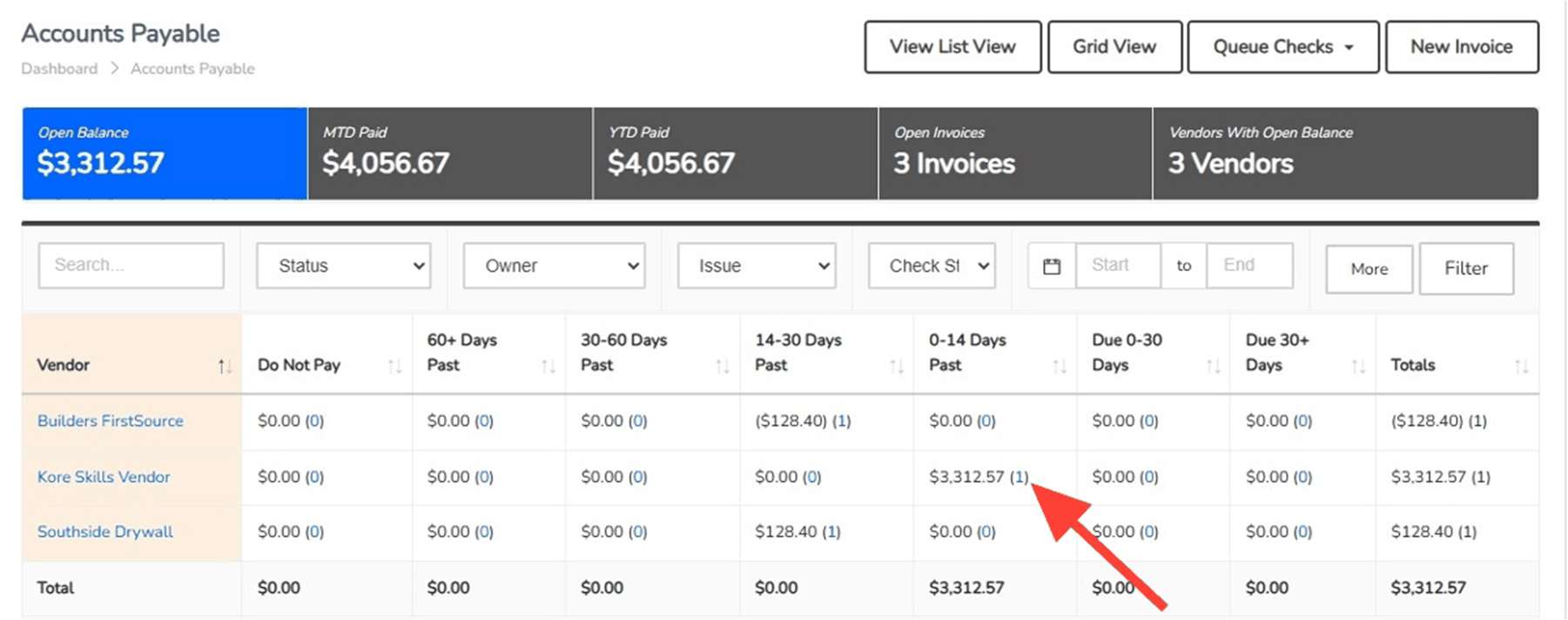
Follow invoices and posted accounting entries into actual job costs; keep approval, posting and payment distinct.

CIP, WIP, revenue recognition and closing cost relief

Review WIP and revenue recognition, closing entries and construction cost relief, then consolidate financial statements.

AP, AR, bank reconciliation and payroll

AP, AR, bank reconciliation and payroll

BuildingBlocks accounting

Native accounting inside the Builder's Operating System.

BuildingBlocks brings native accounting, job costs, commitments, and financial reporting into the same platform as the operation. Follow the dollars alongside the work.

  • Job budgets and actual costs
  • Accounts payable and receivable
  • Financial statements and reporting
  • Transaction detail connected to the job

Follow the work

  1. Plan and commit

    Review the job budget and purchase commitments without treating every commitment as a posted ledger transaction.

  2. Review and post

    Follow invoices and posted accounting entries into actual job costs; keep approval, posting and payment distinct.

  3. Close and consolidate

    Review WIP and revenue recognition, closing entries and construction cost relief, then consolidate financial statements.

Explore experience

Finance & Accounting

Invoices & accounts payableAP LaunchProduct · Available todayControl every invoice from intake through posting.

Finance & Accounting

AP Launch

Available today

Control every invoice from intake through posting.

What it does

Receive invoices in the billing inbox, identify the vendor and job, review attachments and purchase records, route approvals, hold items and post to native BuildingBlocks accounting.

Who uses it

Accounts payable, accounting and purchasing teams

Capabilities to explore

Billing inbox and queued invoice attachments

Open the invoice and attachment; identify the vendor, job and cost allocation.

Vendor, job, subdivision and account allocation

Check the purchasing record and PO support, route approval and hold items that need attention.

PO support and split-screen document review

Post the reviewed invoice into BuildingBlocks. Approval, accounting posting and payment are separate steps.

Approval routing, holds and ledger posting

Approval routing, holds and ledger posting

AP & transaction workflows

Give every invoice a place in the process.

AP Launch supports the accounts payable workflow. Bring incoming invoices into a review process alongside the vendor, job, and purchasing information your team uses.

  • Invoice intake and review
  • Vendor and unit context
  • Purchasing and budget visibility
  • Connected accounting workflow

Follow the work

  1. Receive and identify

    Open the invoice and attachment; identify the vendor, job and cost allocation.

  2. Review and approve

    Check the purchasing record and PO support, route approval and hold items that need attention.

  3. Post to accounting

    Post the reviewed invoice into BuildingBlocks. Approval, accounting posting and payment are separate steps.

Explore experience

Finance & Accounting

Billing & receivablesARLaunchProduct · Available todayManage builder billing and receivables alongside the job.

Finance & Accounting

ARLaunch

Available today

Manage builder billing and receivables alongside the job.

What it does

AR and accounting teams manage billing and receivables with the customer, job and native accounting record connected.

Who uses it

Accounts receivable and accounting teams

Capabilities to explore

Builder billing

Start with the customer and job behind the bill.

Accounts receivable

Review billing and receivables against that customer and job.

Customer and job references

Use the connected BuildingBlocks record to investigate billing questions.

Follow the work

  1. Identify the billing

    Start with the customer and job behind the bill.

  2. Follow the receivable

    Review billing and receivables against that customer and job.

  3. Review with accounting

    Use the connected BuildingBlocks record to investigate billing questions.

Explore experience

Operations & Construction

Trades & vendor coordinationJobCloserProduct · Available todayConnect builder purchase orders with vendor submissions.

Operations & Construction

JobCloser

Available today

Connect builder purchase orders with vendor submissions.

What it does

Builders invite trades and vendors to review released, vendor-visible purchase orders and submit PO or VPO invoices and compliance documents for builder review.

Who uses it

Connected trades, vendors and builder purchasing teams

Capabilities to explore

Builder invitations and connected vendor access

A ThreadKore builder invites the trade or vendor into the working relationship.

Purchase orders released for vendor review

The vendor sees purchase orders released to them and submits PO/VPO invoices and compliance documents.

PO and VPO invoice submissions

The builder reviews submissions alongside its purchasing and vendor records.

Compliance documents for builder review

Compliance documents for builder review

Vendors & JobCloser

Bring the businesses doing the work into the thread.

Manage vendor contacts, assignments, pricing, and compliance documents. Invite trades and vendors into JobCloser to collaborate with their builder relationships.

  • Vendor records and pricing
  • Compliance document management
  • JobCloser invitations
  • Trade and vendor participation today

Follow the work

  1. Builder invites

    A ThreadKore builder invites the trade or vendor into the working relationship.

  2. Vendor reviews and submits

    The vendor sees purchase orders released to them and submits PO/VPO invoices and compliance documents.

  3. Builder reviews

    The builder reviews submissions alongside its purchasing and vendor records.

Explore experience

Across all Four Kores

Business questions & analysisOrbit & OrbieProduct · Available todayAsk questions across the business.

ACROSS ALL FOUR PILLARS

Orbit & Orbie

Available today

Ask questions across the business.

What it does

Orbit helps owners, finance and operations investigate connected operational and financial records. Orbie helps ThreadKore clients use the platform and writes custom reports.

Who uses it

Orbit: owners, finance and operations. Orbie: clients needing platform help or custom reports.

Capabilities to explore

Orbit: operational and financial investigation

Start with a margin, cash, WIP or job-cost question.

Orbit: business analysis

Compare relevant financial and operational information and review the supporting records.

Orbie: client assistance and custom report writing

Use the analysis and reporting discussion to decide what the team should investigate next.

Illustrative sample-data walkthroughs, clearly labeled

Illustrative sample-data walkthroughs, clearly labeled

Follow the work

  1. Ask a business question

    Start with a margin, cash, WIP or job-cost question.

  2. Explore the records

    Compare relevant financial and operational information and review the supporting records.

  3. Review the result

    Use the analysis and reporting discussion to decide what the team should investigate next.

Explore experience

Customer Experience

Closing & customer careClosing & customer careCapability group · Available todayHand over the keys. Keep the history.

Customer Experience

Closing & customer care

Available today

Hand over the keys. Keep the history.

What it does

Connect closing coordination and ongoing customer care to the home’s operating record, so your team can return to the details behind the finished home.

Who uses it

Customer-care teams, closing coordinators, and construction teams

Capabilities to explore

Closing coordination

Keep closing information in the context of the home and buyer.

Home and buyer context

Return to the record of the home and its buyer decisions.

Customer care and warranty workflows

Connect ongoing customer care to the details behind the finished home.

Closing & customer care

Hand over the keys. Keep the history.

Connect the closing process and ongoing customer care to the home’s operating record, so your team can return to the details behind the finished home.

  • Closing coordination
  • Home and buyer context
  • Customer care and warranty workflows
Explore experience

Customer Experience

Options & design selectionsDesign CenterCapability within theHOMESapp · Available todayMake every choice clear. Keep the build in step.

Customer Experience

Design Center

Available today

Make every choice clear. Keep the build in step.

What it does

Guide buyers through the finishes, options, and packages that make a home their own. Within theHOMESapp, your team can organize design selections, show available option images, review retail pricing, and document approved decisions. Keep those choices with the home so purchasing and construction can work from the agreed scope.

Who uses it

Design consultants, sales teams, and the purchasing and construction teams carrying out buyer decisions

Capabilities to explore

Organized selections and packages

Group selections into design categories and configure which choices appear for the home and its selected packages.

Option images and vendor context

Use supplied product images to make choices easier to understand. Design options are configured with the assigned vendor’s information.

Retail pricing alongside the choice

Review the retail pricing for selections and packages, keeping the buyer’s price distinct from vendor cost.

Documented decisions and approvals

Finalize the design sheet with the approver’s name and capture additional signatures where needed. Subsequent changes follow the proposed-change and approval process.

Changes carried into the build

Review selection changes in change-order batches. Approval and finalization are separate steps; finalization updates budget and list-price details so the next team can review the agreed change.

Follow the work

  1. Guide the choices

    Review the home’s design sheet, options, packages, and pricing with the buyer.

  2. Record the agreement

    Finalize decisions and route later changes through the approval process.

  3. Prepare the handoff

    Give purchasing and construction the selection and change context behind the work.

Explore experience

Sales & Marketing

Builder websitesWebLaunchAIWebsite design and hosting · Available in betaA clearer path from business information to the customer-facing website, with less disconnected content management.

Sales & Marketing

WebLaunchAI

Available in beta

A clearer path from business information to the customer-facing website, with less disconnected content management.

What it does

Website design and hosting, available in beta. The ThreadKore website is built and hosted on WebLaunchAI. Discuss your website’s publishing requirements and integration scope with the ThreadKore team.

Who uses it

Marketing and website teams

Website workflow

Start with the business

Use the connected record as the foundation for website information.

Manage the experience

Bring website content and updates into the marketing team’s workflow.

Connect the journey

Help the website reflect the business behind the homes and customer relationships.

Explore experience

Planned & coming soon

Coming Soon

Explore the next experiences. Existing planned dates are targets, not commitments.

Customer Experience

Buyer & homeowner portalmyKotivaProduct · Planned November 11, 2026A planned home experience, from buying to ownership.

Customer Experience

myKotiva

Planned November 11, 2026

A planned home experience, from buying to ownership.

What it does

Planned for November 11, 2026: a buyer and homeowner experience spanning buying, building, moving in and ownership, connected to the builder’s home record.

Who uses it

Homebuyers, homeowners and builder customer-care teams

Planned capabilities

Planned buyer selections and home information

Planned for November 11, 2026: a buyer and homeowner experience spanning buying, building, moving in and ownership, connected to the builder’s home record.

Planned walkthrough and move-in information

Planned walkthrough and move-in information

Ownership and customer-care previews

Ownership and customer-care previews

Explore experience

Sales & Marketing

Sales leads & follow-upCadence2CloseProduct · Planned · November 11, 2026Connect the next conversation to the relationship.

Sales & Marketing

Cadence2Close

Planned · November 11, 2026

Connect the next conversation to the relationship.

What it does

An expanded CRM experience connecting pipeline, relationships, and follow-up. Planned for November 11, 2026.

Who uses it

Sales and marketing teams and their leaders

Planned capabilities

Pipeline and relationship context

An expanded CRM experience connecting pipeline, relationships, and follow-up. Planned for November 11, 2026.

Follow-up workflows

An expanded CRM experience connecting pipeline, relationships, and follow-up. Planned for November 11, 2026.

Expanded CRM experience

An expanded CRM experience connecting pipeline, relationships, and follow-up. Planned for November 11, 2026.

Explore experience

Operations & Construction

Capture the buildKoreCaptureProduct · Planned · Q4 2026Planned capture of home and build history.

Operations & Construction

KoreCapture

Planned · Q4 2026

Planned capture of home and build history.

What it does

Planned for Q4 2026: capture home and build history for construction and project teams.

Who uses it

Construction and project teams

Planned capabilities

Planned home and build-history capture

Planned for Q4 2026: capture home and build history for construction and project teams.

Connected record

KoreCapture and KoreTours are planned capture and visual-exploration experiences. Specific capture methods and operating workflows have not been announced.

Explore experience

Sales & Marketing

Explore the home visuallyKoreToursProduct · Planned · Q4 2026Preview the floor plan, 3D model and camera positions.

Sales & Marketing

KoreTours

Planned · Q4 2026

Preview the floor plan, 3D model and camera positions.

What it does

Planned for Q4 2026: visual home exploration. The supplied preview shows a floor plan, 3D home model and camera positions.

Who uses it

Sales and construction teams

Planned capabilities

Floor plan in the supplied preview

Planned for Q4 2026: visual home exploration. The supplied preview shows a floor plan, 3D home model and camera positions.

3D home model in the supplied preview

3D home model in the supplied preview

Explore experience

Operations & Construction

Design & renderingOrbit StudioProduct · Coming soonPlanned BIM, architectural design and rendering.

Operations & Construction

Orbit Studio

Coming soon

Planned BIM, architectural design and rendering.

What it does

A planned BIM, architectural design and rendering direction for design and construction teams. Coming soon; no release date announced.

Who uses it

Architectural design and construction teams

Planned capabilities

Planned BIM direction

A planned BIM, architectural design and rendering direction for design and construction teams. Coming soon; no release date announced.

Planned architectural design and rendering

Planned architectural design and rendering

Explore experience

Direction & prototypes

Future Roadmap

Discuss upcoming priorities and prototypes. Production scope and timing are not confirmed.

Finance & Accounting

Invoice automationAPLaunch.AIProduct direction · Upcoming focusLess time preparing an invoice for review. More attention on the cost, context, and approval behind it.

Finance & Accounting

APLaunch.AI

Upcoming focus

Less time preparing an invoice for review. More attention on the cost, context, and approval behind it.

What it does

The next step for accounts payable: use AI to help prepare invoice information, connect it to the work, and bring the items needing attention to your team. AP Launch is available today. APLaunch.AI is the upcoming automation direction; release timing has not been announced.

Who uses it

AP, finance, and purchasing teams

Planned capabilities

Read the invoice

Help extract invoice information from incoming documents and attachments.

Bring the context

Connect the vendor, home, cost code, and purchasing information needed for review.

Review what needs attention

Surface questions and exceptions, with your team responsible for approvals.

Explore experience

Finance & Accounting

Financial planningPro forma modelingCapability group · New scenario tools in prototypeSee the assumptions behind the forecast and the decisions behind the result, from one community to the whole company.

Finance & Accounting

Pro forma modeling

New scenario tools in prototype

See the assumptions behind the forecast and the decisions behind the result, from one community to the whole company.

What it does

Build from Community Plans, connect the results to accounts, and roll up a company view. Explore how sales pace, selling prices, and construction costs change the plan. Existing pro forma functionality and consolidated company reporting are available today. New scenario controls and pro forma calculation-inspection tools are demonstrated in a prototype; production scope and release timing for those new tools remain to be confirmed.

Who uses it

CFOs, business leaders, and planning teams

Planned capabilities

Build the plan

Select Community Plans and connect their contributions to financial accounts.

Test the decision

Explore changes in sales velocity, home prices, and direct costs. Compare revisions and operating breakeven.

Follow the numbers

Consolidated company reporting across subdivisions, areas, and markets is available today. New pro forma tools to inspect monthly calculations and the sources behind totals are in prototype.

Explore experience
Explore ThreadKore

See your team’s priorities in ThreadKore

Bring a workflow, a handoff or a financial question. Choose what you want to explore and request a demonstration around it.

Choose your demo priorities

A request starts a conversation; it does not confirm an appointment.

Your privacy choices

Optional analytics measures visits, recognizes returning browsers and links consented visits to the email you submit in a form. Advertising measures and personalizes ads; Apollo tracks visited pages and may associate visits with business information even without a form submission. The site and contact forms work with essential functions only.

Choose what works for you. You can change or withdraw permission anytime using Your Privacy Choices in the footer. Read our Privacy Policy.

Apollo: what accepting business visitor identification means

Choosing Accept all, or enabling Advertising and business visitor identification, permits Apollo to receive page visits and a random browser identifier. Its servers also receive network and browser information. Apollo may use IP-based enrichment to infer company or other business information, without a form submission. These disclosures may qualify as sale, sharing or targeted advertising.

The reviewed Apollo script stores an identifier, queued visits and tracking eligibility in this browser. It also attempts to load LiveIntent to resolve hashed email identifiers; that secondary script and unreviewed partner requests are currently blocked by our security policy, so identification may be limited. Hashes are not anonymous.

Apollo replaces RB2B. Earlier permission does not authorize Apollo. To keep it off, choose Essential only, or Customize and leave Advertising off. Analytics can be enabled separately. Read Apollo’s Privacy Policy.