Invoice intake & review
AP LaunchControl every invoice from intake through posting.
Receive invoices in the billing inbox, identify the vendor and job, review attachments and purchase records, route approvals, hold items and post to native BuildingBlocks accounting.
The everyday workflow
Follow the work through the record.
- Receive and identifyOpen the invoice and attachment; identify the vendor, job and cost allocation.
- Review and approveCheck the purchasing record and PO support, route approval and hold items that need attention.
- Post to accountingPost the reviewed invoice into BuildingBlocks. Approval, accounting posting and payment are separate steps.
The role it plays
AP Launch in your everyday.
What your team works with
- Billing inbox and queued invoice attachments
- Vendor, job, subdivision and account allocation
- PO support and split-screen document review
- Approval routing, holds and ledger posting
Its contribution to the record
AP Launch
Vendor, job, PO support, allocation, approval and posting stay with the invoice record.
How it complements the platform
Connect the workflow to the business.
Shared operational and financial record
AP Launch brings reviewed invoices into native BuildingBlocks accounting with the vendor, job allocation and purchasing record attached.
BuildingBlocks →
Run native accounting alongside land development and home construction.
What’s next for AP
APLaunch.AI
The upcoming automation direction builds on AP Launch: help prepare invoice information, connect it to vendor and job context, and surface items for review. Your team stays responsible for approvals.
Explore APLaunch.AI →Questions about AP Launch
Know where it fits.
Does invoice approval or posting mean the vendor has been paid?
No. Approval authorizes the reviewed invoice; posting records its accounting effect. Payment is a separate transaction. APLaunch.AI is a planned extension, not a claim that new automation is shipping.
Is AP Launch available now?
Available today. Review your workflow in a focused demonstration.
Make the conversation specific
Walk through an invoice with us.
Review the workflow with your team in a focused demonstration.
Walk through an invoice with us ↗FROM THE THREADKORE PRODUCT GUIDES
See the working detail.
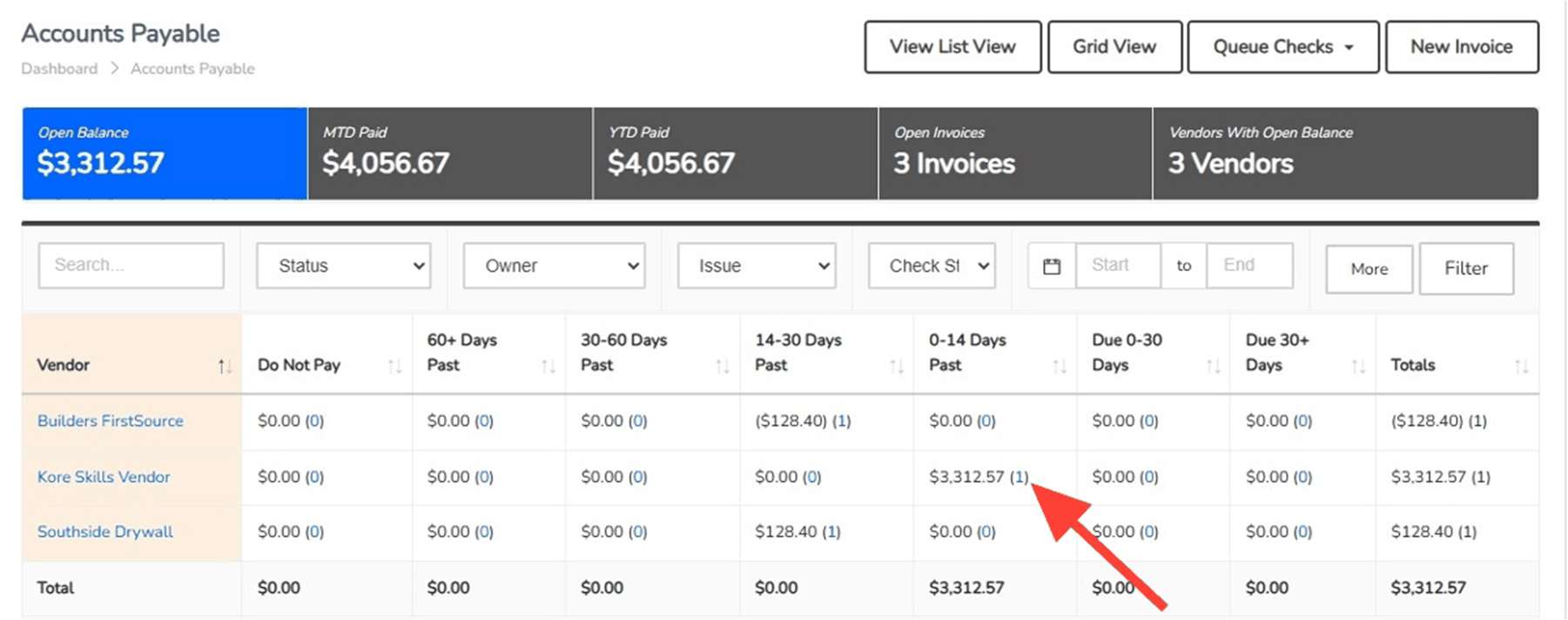
Actual interface images from supplied training materials. Historical guide examples; amounts are not customer performance claims and the current interface may differ.