
Plans, selections & the home
theHOMESappKeep the buyer’s promise connected to the build.
Bring Guided Start, plans, design sheets, retail pricing, and signatures together. Document selection changes so the team can follow what was decided and approved.
The everyday workflow
See the work it helps you do.
- Define the promiseOrganize the plan, design choices, and retail pricing.
- Document the changeAfter finalization, review proposed design changes and approval batches.
- Prepare the next teamUse the recorded decisions as context for purchasing and construction.
The role it plays
theHOMESapp in your everyday.
What your team works with
- Guided Start, plans, and packages
- Design sheets and retail price history
- Finalized selections and proposed design changes
- Change-order batches and contract signatures
Its contribution to the record
theHOMESapp
The team organizes a home’s plan and design decisions before committing to the work.
How it complements the platform
The next step has context.
A shared foundation
Purchasing can review the home’s plan and selection context alongside quantities and scope.
Purchasing & PO workflows →
Know the scope before you commit.
DESIGN CENTER
Make every choice clear. Keep the build in step.
Guide buyers through the finishes, options, and packages that make a home their own. Within theHOMESapp, your team can organize design selections, show available option images, review retail pricing, and document approved decisions. Keep those choices with the home so purchasing and construction can work from the agreed scope.
Organized selections and packages
Group selections into design categories and configure which choices appear for the home and its selected packages.
Option images and vendor context
Use supplied product images to make choices easier to understand. Design options are configured with the assigned vendor’s information.
Retail pricing alongside the choice
Review the retail pricing for selections and packages, keeping the buyer’s price distinct from vendor cost.
Documented decisions and approvals
Finalize the design sheet with the approver’s name and capture additional signatures where needed. Subsequent changes follow the proposed-change and approval process.
Changes carried into the build
Review selection changes in change-order batches. Approval and finalization are separate steps; finalization updates budget and list-price details so the next team can review the agreed change.
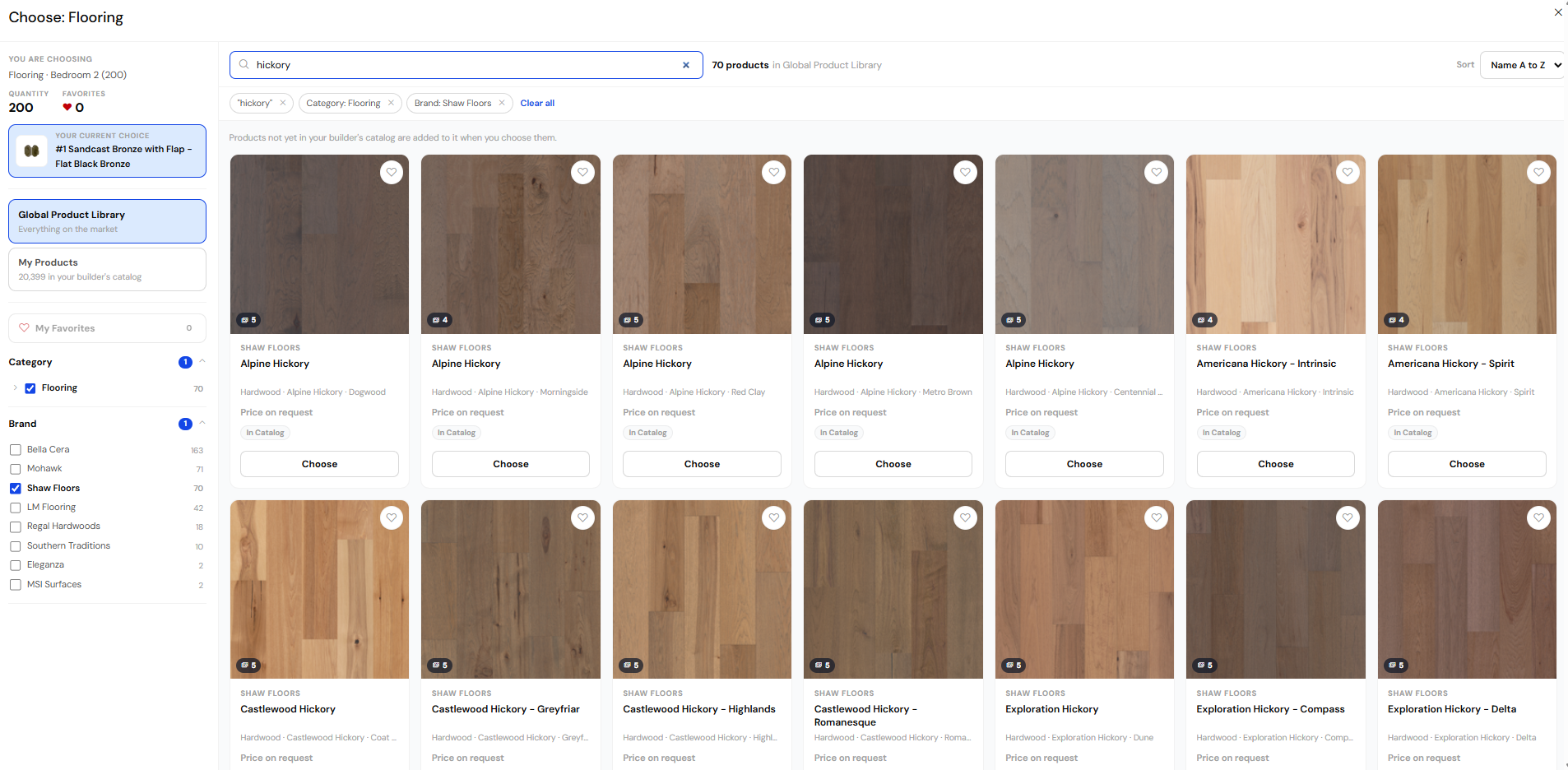
A product library for the conversation.
Explore manufacturer product information and imagery in ThreadKore’s product library.
Connected, by design
Part of the Business Operating System.
Every product contributes to the same System of Record. Customer relationships, design decisions, purchasing, field work, and native accounting stay connected, with Orbit bringing intelligence across the business.
Follow one home through ThreadKore →Questions about theHOMESapp
Know where it fits.
Is theHOMESapp available now?
Available today. Ask for a demonstration focused on your team’s workflow and requirements.
How does theHOMESapp connect with the platform?
Purchasing can review the home’s plan and selection context alongside quantities and scope.
Can we focus a conversation on theHOMESapp?
Yes. Tell us what your team needs to accomplish, and we can focus the conversation on this experience and its role in the platform.
Make the conversation specific
Follow a selection through the home.
Bring your process and the people who know it.
Follow a selection through the home ↗