A clear starting point for every home
Keep base plans, packages, design categories, and retail pricing organized. Identify the home’s starting specification before reviewing the buyer’s options.

Semi-custom homebuilders
Your process starts with a proven plan, then branches into buyer options and upgrades. Teams need to see what changed from the base home and carry those choices into pricing and purchasing.
BUILT INTO THE WORK
Keep base plans, packages, design categories, and retail pricing organized. Identify the home’s starting specification before reviewing the buyer’s options.
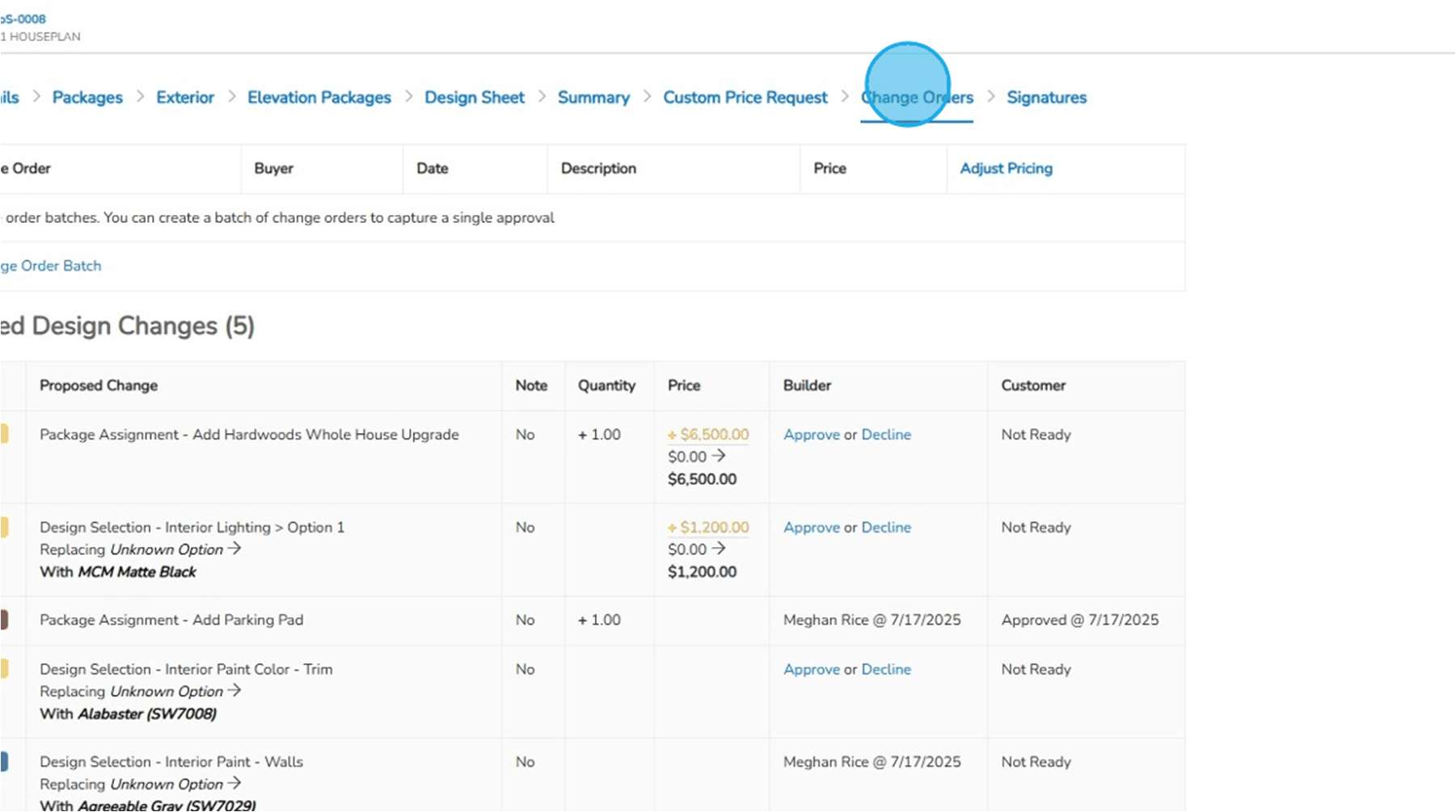
Guide the buyer through choices in the design sheet. Review retail pricing and record the agreement; later changes follow the proposed-change and approval process.
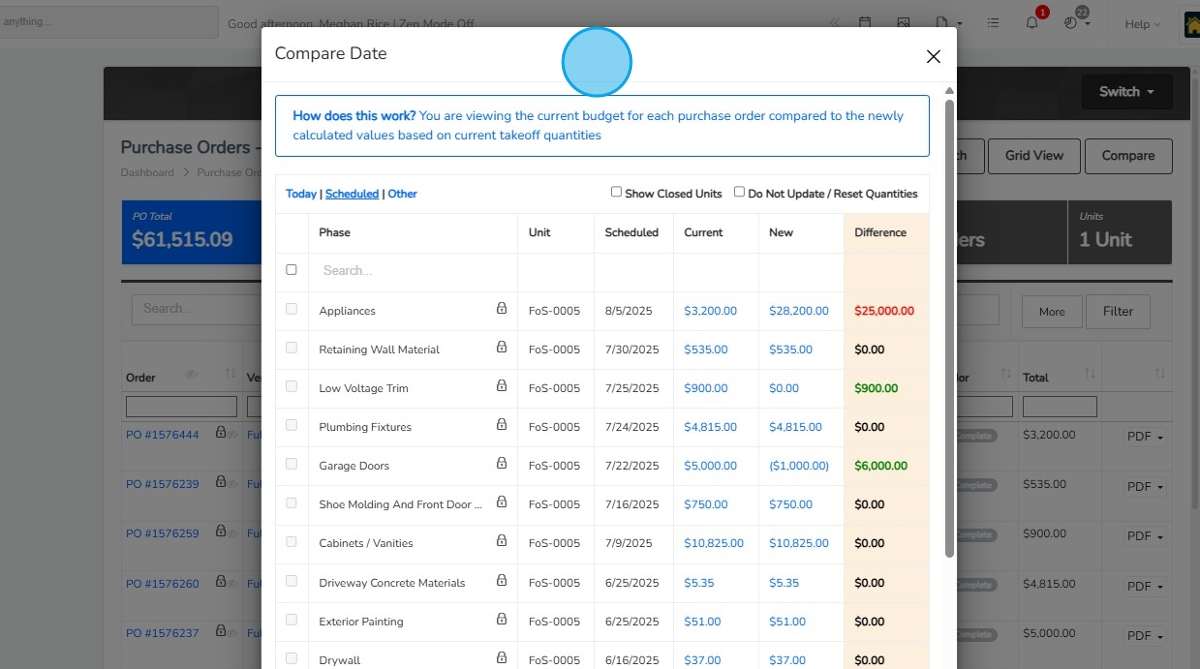
Carry approved selections into the unit record and purchasing review. Compare revised takeoff quantities and prices with the current budget before updating the work being committed.
Review the budget, purchase orders, invoices, and actual costs alongside the buyer’s upgrades. Distinguish additional buyer revenue from the builder’s additional cost.
WORKING EXAMPLES
Follow a question from problem to decision.
Illustrative walkthroughs · Sample data.
The problem
A different kitchen finish affects the buyer’s price, the purchasing scope, and the home’s expected cost.
ILLUSTRATIVE EXAMPLE
What you do in TK
Record the choice in the home’s design and pricing context. Review pricing and approval, then update the scope and purchasing records for the agreed work.
ILLUSTRATIVE EXAMPLE
What you see
Follow the selection into purchasing, construction context, and job cost. The cost difference remains visible alongside the budget; a commitment is not a payment.
ILLUSTRATIVE EXAMPLE
The decision it supports
Confirm the buyer’s agreement, coordinate the revised work, and review whether the change affects the home’s expected margin.
ILLUSTRATIVE EXAMPLE
THE HANDOFF
The base plan gives the team a starting point. Sales and design record the buyer’s approved choices; purchasing reviews what differs from that starting point. Construction uses the agreed scope, while finance reviews the revised cost and expected margin.
ThreadKore is the platform and system of record. Orbit analyzes the connected operational and financial information to help your team investigate a question.
ACTUAL PRODUCT SCREENS
Images from the supplied ThreadKore training guides. The working example above is illustrative; these are documented product interfaces.
A BUILDER’S PERSPECTIVE
“Since moving to ThreadKore, we've had far more visibility into our data and processes than ever before, helping us reduce cycle times, uncover efficiencies, and gain new insights.”
TOOLS FOR YOUR PROCESS
theHOMESapp
Bring Guided Start, plans, design sheets, retail pricing, and signatures together. Document selection changes so the team can follow what was decided and approved.
Explore the workflowDesign Center
Guide buyers through the finishes, options, and packages that make a home their own. Within theHOMESapp, your team can organize design selections, show available option images, review retail pricing, and document approved decisions. Keep those choices with the home so purchasing and construction can work from the agreed scope.
Explore the workflowPurchasing & PO workflows
Import unit takeoffs, compare budgets, and issue purchase orders with job and vendor context. Document exceptions through variant purchase orders, approval levels, reasons, and back charges.
Explore the workflowBuildingBlocks
Review budgets, commitments, invoices, posted accounting entries, and payments in the context of each home. Projected home margin includes the costs to build, hold, and sell. Anticipate cash needs and expected funding using connected construction and financial information.
Explore the workflowYour walkthrough can include sales and selections, purchasing and job budgets, construction coordination, native BuildingBlocks accounting, and Orbit and Orbie.
Explore the full platformFollow the option through retail pricing, documented approval, purchasing, and job cost. Review how the same base home becomes a different commitment when the buyer makes a different choice.
Book a tailored demo