A foundation for every community
Organize lots, plans, phases, and unit records so the team starts with a consistent structure.

Production homebuilders
Manage the repeatable work across communities without losing the detail that makes each lot different.
BUILT INTO THE WORK
Organize lots, plans, phases, and unit records so the team starts with a consistent structure.
Carry plans, packages, and design details into the purchasing conversation and project record.
Import takeoffs, compare budgets, issue purchase orders, and track variants and back charges.
Bring the work on site and the financial record into the same operating environment.
WORKING EXAMPLES
Follow a question from problem to decision.
Illustrative walkthroughs · Sample data.
The problem
The sale price alone does not tell you what the home should earn. Projected home margin includes the costs to build, hold, and sell the home.
ILLUSTRATIVE EXAMPLE
What you do in TK
Review the home’s budget, commitments, invoices, and projection. Open purchasing and job-cost detail to investigate a change.
ILLUSTRATIVE EXAMPLE
What you see
Budgets, commitments, invoices, and projections update together as work is recorded. Compare the revised expectation with the original target, keeping each record’s status clear.
ILLUSTRATIVE EXAMPLE
The decision it supports
Decide whether to revise scope, pricing, purchasing, or the estimate for the next home. A projection supports a decision; it does not guarantee profit.
ILLUSTRATIVE EXAMPLE
THE HANDOFF
Start with the home whose expected cost changed. Purchasing explains the commitment or variant, construction provides the work context, and finance reviews the margin effect. Use the cause to inform the next home’s estimate and the next operating decision.
ThreadKore is the platform and system of record. Orbit analyzes the connected operational and financial information to help your team investigate a question.
ACTUAL PRODUCT SCREENS
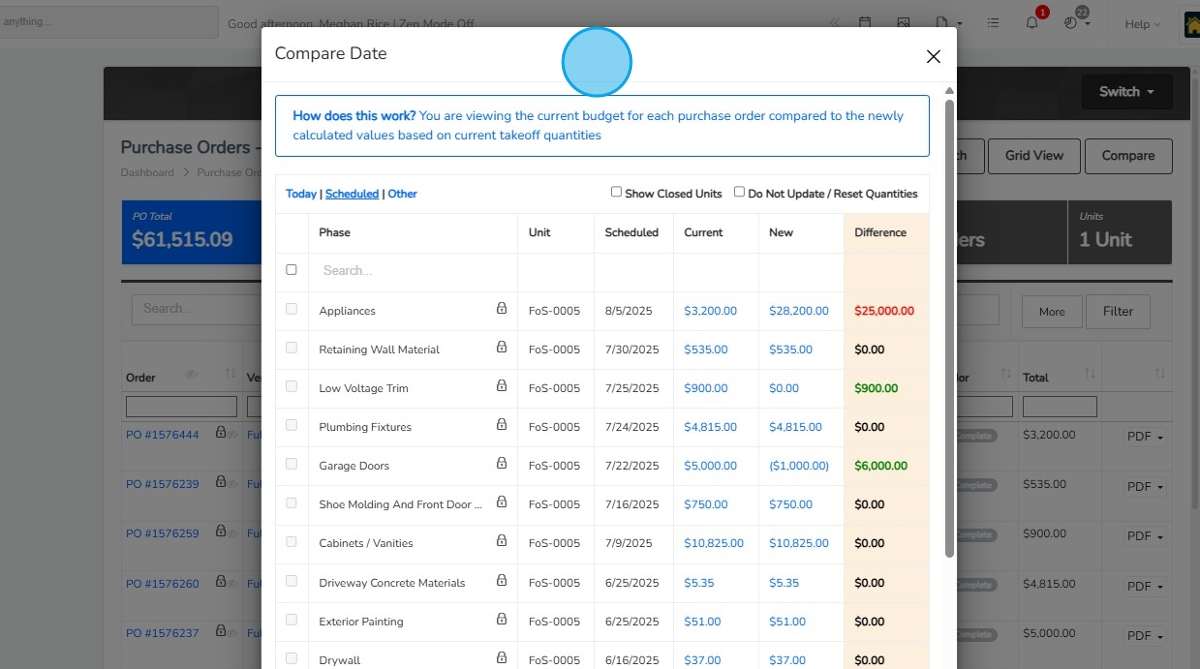
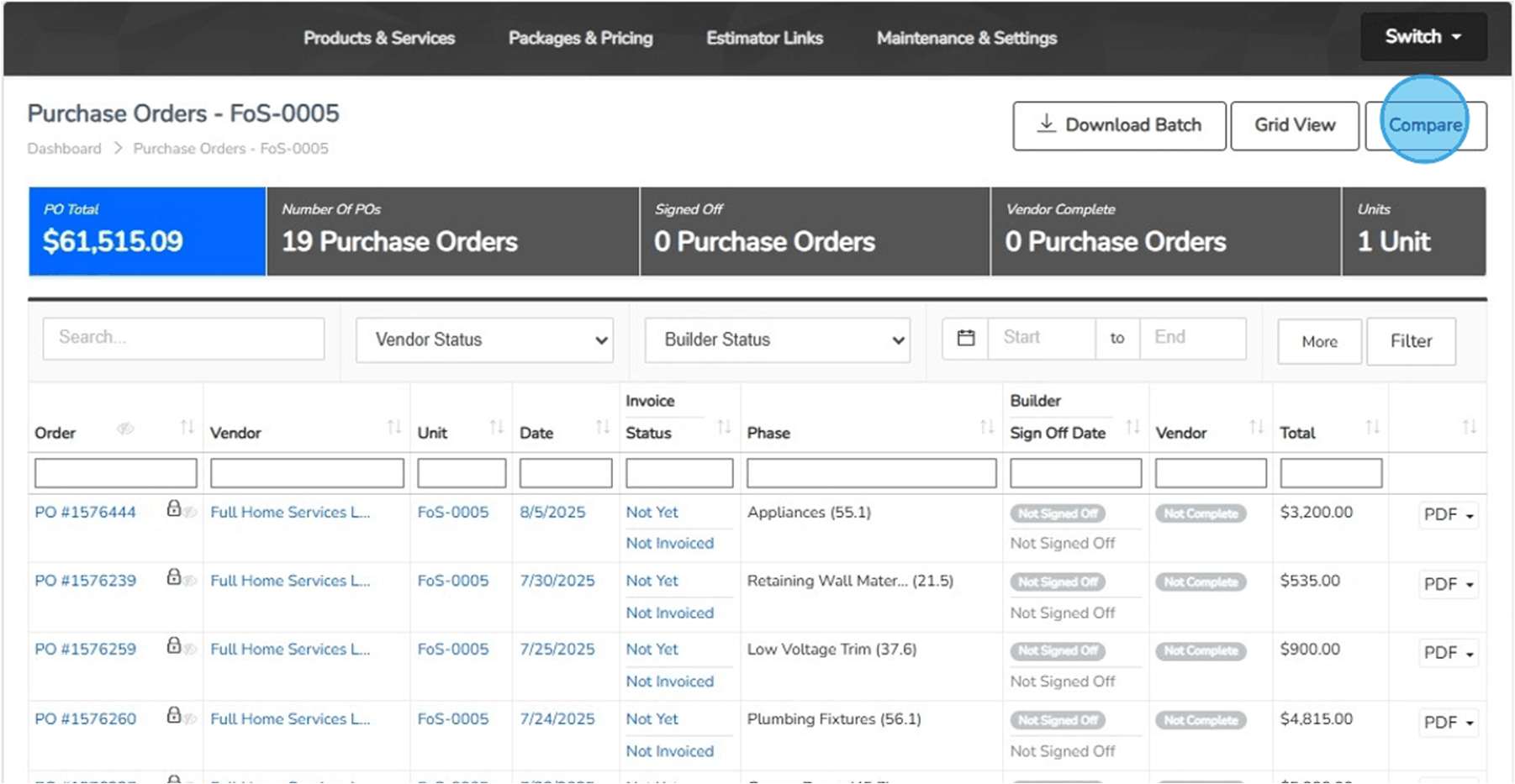
Images from the supplied ThreadKore training guides. The working example above is illustrative; these are documented product interfaces.
A BUILDER’S PERSPECTIVE
“By bringing every major function, from sales, purchasing, construction, finance, land development, customer care, and executive reporting under one ERP platform, we’ve created a true single source of truth for our organization.”
TOOLS FOR YOUR PROCESS
MyPM
Organize communities, lots, addresses, and unit records. Keep development milestones and construction context with the home so teams can find the same starting point.
Explore the workflowtheHOMESapp
Bring Guided Start, plans, design sheets, retail pricing, and signatures together. Document selection changes so the team can follow what was decided and approved.
Explore the workflowPurchasing & PO workflows
Import unit takeoffs, compare budgets, and issue purchase orders with job and vendor context. Document exceptions through variant purchase orders, approval levels, reasons, and back charges.
Explore the workflowBuildingBlocks
Review budgets, commitments, invoices, posted accounting entries, and payments in the context of each home. Projected home margin includes the costs to build, hold, and sell. Anticipate cash needs and expected funding using connected construction and financial information.
Explore the workflowYour walkthrough can include sales and selections, purchasing and job budgets, construction coordination, native BuildingBlocks accounting, and Orbit and Orbie.
Explore the full platformA late selection. A revised purchase order. An invoice that needs context. Follow the change through ThreadKore and review what it means for this home and the next one.
Book a tailored demo