Invoice intake & review
AP LaunchGive the invoice a clear path to the ledger.
Manage the billing inbox, invoice attachments, allocations, and approvals with the vendor and job in view. Follow the purchasing context through review and posting.
The everyday workflow
See the work it helps you do.
- Receive and allocateReview the incoming document and assign its vendor, unit, subdivision, or account.
- Review and approveUse the attachments and purchasing context; route approvals and hold invoices when needed.
- Post and followPost the invoice to the ledger and retain the record behind the cost.
The role it plays
AP Launch in your everyday.
What your team works with
- Billing inbox and queued invoices
- Attachments and split-screen invoice review
- Unit, subdivision, and account allocation
- Approvals, do-not-pay status, and ledger posting
Its contribution to the record
AP Launch
An incoming invoice is reviewed with the relevant vendor, unit, and purchasing information.
How it complements the platform
The next step has context.
A shared foundation
The invoice workflow connects with the accounting record so finance can follow the cost alongside the job.
BuildingBlocks →
Put the financial story beside the work.
What’s next for AP
APLaunch.AI
The upcoming automation direction builds on AP Launch: help prepare invoice information, connect it to vendor and job context, and surface items for review. Your team stays responsible for approvals.
Explore APLaunch.AI →Connected, by design
Part of the Business Operating System.
Every product contributes to the same System of Record. Customer relationships, design decisions, purchasing, field work, and native accounting stay connected, with Orbit bringing intelligence across the business.
Follow one home through ThreadKore →Questions about AP Launch
Know where it fits.
Is AP Launch available now?
Available today. Ask for a demonstration focused on your team’s workflow and requirements.
How does AP Launch connect with the platform?
The invoice workflow connects with the accounting record so finance can follow the cost alongside the job.
Can we focus a conversation on AP Launch?
Yes. Tell us what your team needs to accomplish, and we can focus the conversation on this experience and its role in the platform.
Make the conversation specific
Walk through an invoice with us.
Bring your process and the people who know it.
Walk through an invoice with us ↗FROM THE THREADKORE PRODUCT GUIDES
See the working detail.
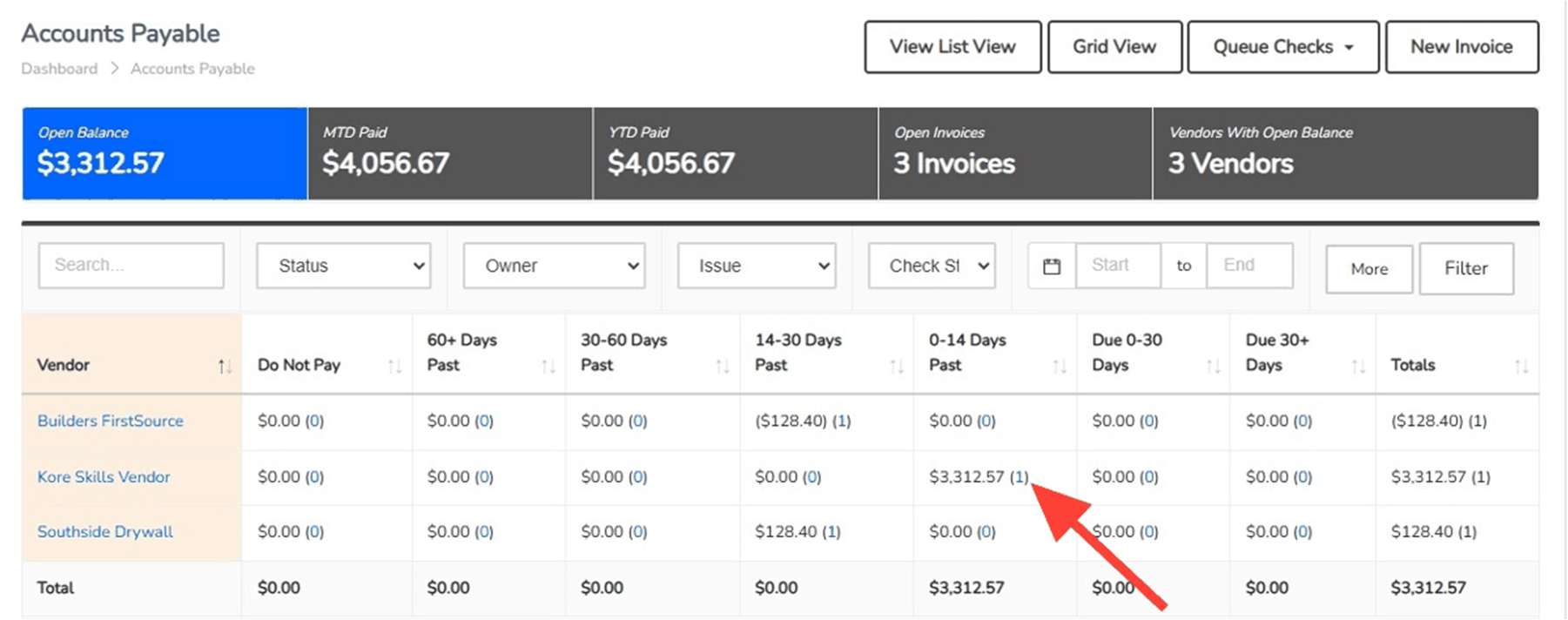
Actual interface images from supplied training materials. Historical guide examples; amounts are not customer performance claims and the current interface may differ.